


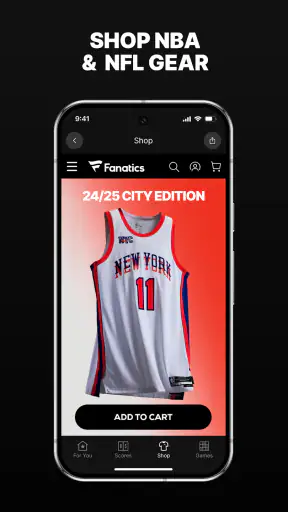
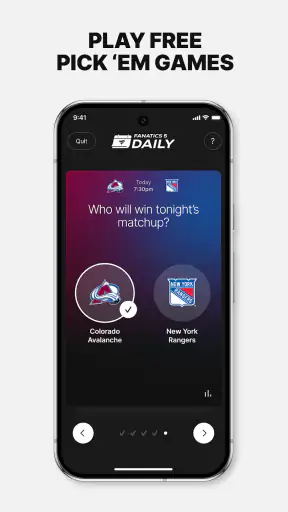
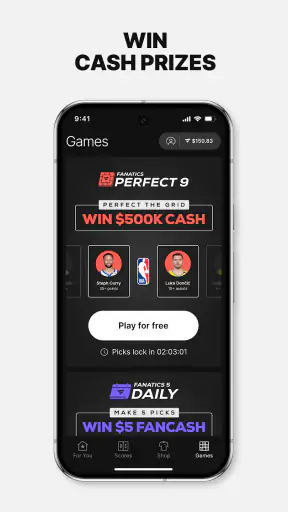
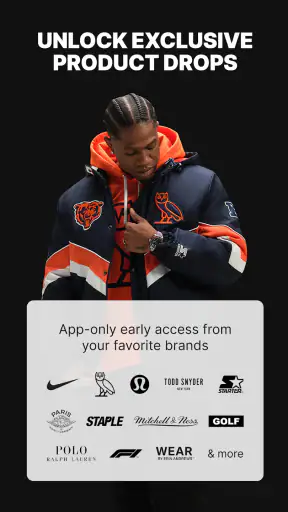
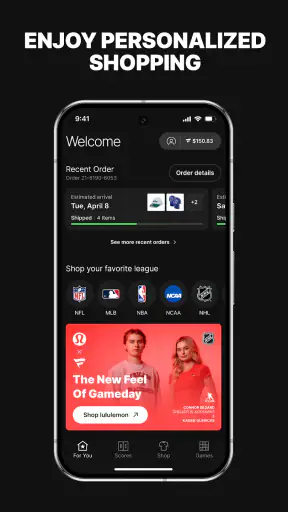
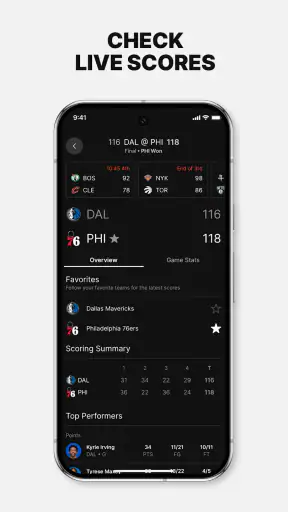
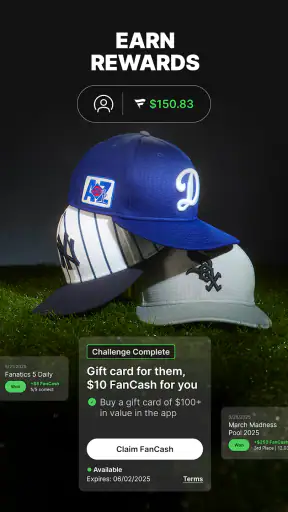
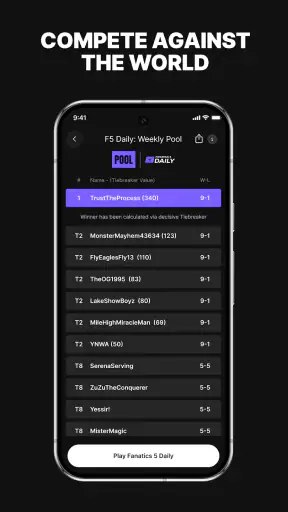
I came away from Fanatics: Shop NFL, NBA & MLB seeing it as more than a place to browse team clothing. It combines sports shopping with scores, games, and rewards, so it is aimed at fans who want one app for following teams and buying official-looking gear. I tested it with a practical mindset: how quickly can I find something useful, what gets in the way, and when is a normal browser or a dedicated sports app the better choice?
The app is free, belongs to the Sports category, and is developed by Fanatics, Inc. Its audience is clearly mature, with a 17+ content rating, so I would not treat it as a general family shopping app. It has been available since November 5, 2013, and the current version is 4.55.2 for devices running operating system 10 or later. That long presence helps explain why it feels like an established shopping destination rather than a small team-store experiment.
Getting past the first points of friction
The first place I would expect users to get stuck is the sheer breadth of the catalog. NFL, NBA, and MLB merchandise cover many teams, player names, garment types, and sizes. Opening the app with only a vague idea such as “I want a football shirt” can turn into a long scroll. I had a better experience when I started with a clear team and product type, then narrowed the results rather than browsing everything at once.
That sounds simple, but it changes how the app feels. A focused search makes the shopping side practical; an unfocused search makes it feel crowded. I recommend deciding whether you are looking for a league, a team, a player, or a type of item before you begin. This is especially useful when shopping on a phone, where comparing many product cards can be tiring.
Another likely sticking point is confusing the app’s sports information with a full replacement for a dedicated scores product. The inclusion of scores and games is convenient, but I would use those tools as a quick check while shopping or following a busy sports day. If your priority is deep schedules, detailed statistics, alerts, or a highly specialized live-game experience, a dedicated sports app may remain more suitable.
The rewards area can also create the wrong expectation if you treat it as an automatic discount button. I found it more sensible to regard rewards as something to review during the buying process, not as a reason to assume every order will cost less. Before committing to a purchase, I would check the visible order details and make sure any benefit I expect is actually reflected there.
My most useful early habit was separating discovery from checkout. I browse when I am relaxed, save the exact item details mentally or in a note, and return only when I am ready to verify size, team, and total cost. That avoids impulse decisions caused by seeing a limited-looking selection or a favorite player’s name before I have checked whether the item suits the recipient.
Setup checks that prevent avoidable problems
There is no complicated setup ritual needed to understand the app, but a few checks make the first session smoother. First, confirm that the phone meets the minimum operating-system requirement. If the device is older than that requirement, installation or updates may be the problem rather than the app itself. I would check the system version before clearing storage, reinstalling, or blaming a slow connection.
Next, give the app time to load its shopping content on a stable connection. Product images and sports information can behave differently when a connection is weak or changing between Wi-Fi and mobile data. If a page appears incomplete, I would wait briefly, retry once, and then switch networks before repeating the same taps. Repeatedly refreshing a half-loaded page rarely improves the situation.
I also suggest starting with one simple search instead of opening several product pages immediately. This gives you a quick test of whether the catalog is loading correctly, whether images appear, and whether filters respond. If the basic path works, then move on to team, player, size, or category choices. This small staged approach makes it easier to identify the exact step that fails.
Before shopping for somebody else, check the intended league and team carefully. The app brings together major American sports, and similar colors or abbreviations can make a rushed selection easy to misread. I would verify the sport first, then the team identity, then the player or design. This is a more reliable workflow than trusting a thumbnail when several items look alike.
Device space is another practical consideration. I would not assume that every image or screen problem is caused by the catalog. A nearly full phone can make many apps behave poorly, including shopping apps. If the app closes unexpectedly or updates fail, checking available storage and restarting the phone is a sensible first step before deeper troubleshooting.
For people concerned about whether the app is free, the download itself is free, but that should not be confused with free merchandise. It is a retail app, so products and any applicable order costs are part of the purchase decision. I would treat the checkout summary as the final point for reviewing what I am actually agreeing to buy rather than relying on a product tile alone.
A safer workflow for finding and checking an item
My preferred workflow begins with the occasion. If I need a gift, I decide whether the recipient follows a league, a particular team, or a player. If I am shopping for myself, I decide whether I care most about everyday wear, a game-day look, or a collectible-style item. That decision helps prevent the catalog from choosing for me.
After that, I narrow the search as early as possible. I look at the team identity and product type before spending time on individual designs. Then I inspect the item page slowly, checking the available size choices and the exact wording around the product. I do not rely on the picture to answer every question, because a visual preview may not communicate all the distinctions that matter to a buyer.
One non-obvious trade-off is that the app is excellent for fans who already know what they want, but less efficient for someone comparing broad categories across different retailers. The Fanatics environment keeps the sports context close to the purchase, which is convenient. A general shopping search may offer a wider cross-store comparison, though it can require more work to judge whether listings are trustworthy or genuinely appropriate for a particular team.
When I reach the cart, I pause before checkout. I recheck the sport, team, player name if relevant, size, quantity, and the final order summary. This is where I would also review any rewards indication and shipping information shown in the app. The practical lesson is simple: use the cart as a verification screen, not merely as a button on the way to payment.
If the app seems to lose my place, I avoid opening more screens. I return to the search and rebuild the path with fewer steps. Searching for the team again is often clearer than trying to recover a page that loaded partially. This is one of the ways the app’s breadth can work against it: a fresh, focused search can be faster than navigating backward through several layers.
Recovering when a page, search, or update behaves badly
When something fails, I use a short recovery sequence. I first check whether other apps or websites are also slow. If everything is affected, the connection is the more likely culprit. If only this app has trouble, I close it, reopen it, and repeat the simplest action that failed. I avoid making several purchases or tapping checkout repeatedly while the screen is uncertain.
If a product page will not finish loading, I try a different connection and then search for the item again. If the search results look stale or incomplete, I give the app a clean restart rather than assuming that the item has disappeared. A temporary loading issue and a genuine catalog change can look similar on a small screen, so I prefer to verify through a second attempt.
For update problems, I check the phone’s operating-system compatibility and available storage first. The current release is version 4.55.2, but an update still depends on the device being able to install it properly. If the store cannot complete the update, restarting the device and trying again is reasonable. I would only reinstall after considering whether I need to preserve any sign-in convenience or shopping context.
Sign-in trouble deserves patience because repeatedly entering different details can create more confusion. I would confirm that I am using the intended account information, check the connection, and retry after closing the app. If the problem continues, using the app’s own account-recovery or support route is safer than guessing at credentials or creating multiple accounts.
There is also a useful distinction between a display problem and an order problem. A missing image or slow score panel does not automatically mean a purchase failed. Conversely, a screen that appears to stop responding does not prove that an order was submitted. I would check the cart and any visible order confirmation before trying again, especially if payment details were already entered.
For rewards, I would capture the exact state of the cart mentally before changing anything. If a benefit appears and then disappears, I would rebuild the cart carefully and review the summary again instead of assuming it will be restored later. This is not glamorous advice, but it reduces the chance of making a purchase based on an assumption the final screen does not support.
When the app is not the real cause
Some frustrations come from the nature of mobile shopping rather than from Fanatics itself. A small display makes size information, team names, and final totals harder to compare. If I am making an expensive or emotionally important purchase, I prefer to slow down, rotate the phone if that helps, and read the full item details rather than relying on quick scrolling.
Network switching is another common source of misleading behavior. A phone moving between weak Wi-Fi and mobile data may show a page that looks loaded but is missing part of its content. I would wait until the connection is stable before selecting an item or submitting an order. This is particularly important when scores, games, and shopping content are being used in the same session.
Expectations can also be the problem. Someone looking for a neutral marketplace with many unrelated sellers may find the sports-focused selection too narrow. Someone wanting only live scores may find the shopping elements distracting. Someone who never buys licensed team merchandise will probably get little value from installing a retail app built around that interest.
Likewise, the app may not be the best choice for a user who wants to compare every possible price, brand, or seller in one place. Its strength is the connection between fandom and shopping, not universal retail comparison. I would choose it when team relevance and a sports-centered catalog matter more than searching the entire market.
The mature age rating is worth keeping in mind for households. I would not hand the app to a younger child as an unsupervised shopping tool. Even when the child is only browsing, the app is connected to merchandise and account decisions, so an adult should manage purchases and help interpret the product information.
How it compares with the usual alternatives
Compared with a team-specific app, Fanatics offers a broader shopping journey across NFL, NBA, and MLB interests. That is useful when my household supports different teams or when I want to browse beyond one league. The trade-off is that a dedicated team app may feel more focused for news, schedules, and team-only content.
Compared with a general retailer, this app reduces the work of finding sports merchandise in a relevant context. I do not have to begin with a broad web search and sort through unrelated products. The downside is that a general retailer may be better for comparing non-sports items in the same order or checking a wider range of brands and sellers.
Compared with a dedicated scores app, Fanatics is more of a companion than a specialist. I like being able to check sports activity while considering merchandise, but I would not install it solely for advanced score-following needs. The shopping catalog is the reason to keep it; the sports information makes that catalog more useful during a game-heavy day.
One practical scenario shows where it fits well. Imagine I remember a family birthday on a Saturday morning and know the recipient follows an NBA team. I can open the app, go straight to the relevant team, compare a few suitable items, check the size and order summary, and use the sports sections afterward to see what games are happening. That is a coherent experience. If I instead need a gift from several unrelated categories and want the lowest price across every retailer, I would start elsewhere.
Who will get the most from it
I think this app suits an active fan who regularly shops for NFL, NBA, or MLB merchandise and appreciates having sports context nearby. It is also useful for households with multiple sports interests, because one installation can cover different leagues instead of forcing a separate team-store routine.
It can work well for gift shopping, but only if the buyer is willing to verify details carefully. Team colors and player names can make a product feel instantly right, yet practical choices such as size and item type still matter more than the excitement of the design. I would use the app as a focused shortlist tool, not as a reason to rush.
I would skip it if I want only scores, only general shopping, or extensive cross-retailer price comparison. I would also skip it on a device that cannot meet the operating-system requirement until the phone is updated or replaced. In those cases, the app’s central advantage does not match the actual need.
The app has a 4.7 average from around fifty thousand ratings, with roughly seven and a half thousand written reviews, and it has passed one million installs. Those figures suggest a well-established audience, but they do not remove the need to check each order carefully. Popularity tells me it is worth considering; it does not decide whether a particular item, size, or workflow is right for me.
My practical verdict after using it
I recommend Fanatics: Shop NFL, NBA & MLB to fans who want a sports-centered shopping app with extra tools for checking scores, games, and rewards. The best experience comes from entering with a specific team or product in mind, keeping the search narrow, and treating the cart as a final verification step.
Its main weakness is not a single missing button; it is the amount of choice and the risk of losing focus. Loading issues, network changes, and hurried taps can make an ordinary shopping task feel more complicated than it should. The good news is that most friction can be reduced with staged searching, a stable connection, and a deliberate checkout review.
For me, the deciding question is whether sports merchandise is central to the visit. If it is, the combination of catalog browsing and lightweight sports information feels convenient and specific. If it is not, a dedicated scores app or a broader retailer will probably serve the purpose better. Used for the right job, this free app is a practical companion for fans rather than a universal replacement for every sports or shopping tool.


